


PND AI Photo Enhancer HD
4.86.00 Reviews
App Specs
- Version
- 2.0.40
- Updated On
- License
- Free
- Downloads
- 100,000+
- Developer
- PND AI 360
- Categories
- Beauty
- Platform
- Android
Screenshots
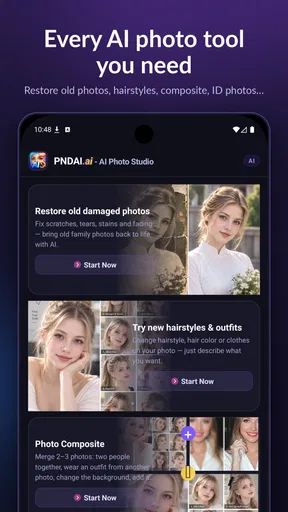
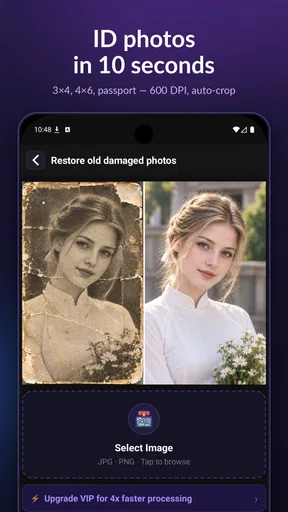
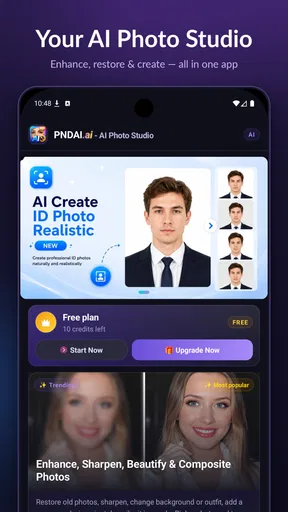
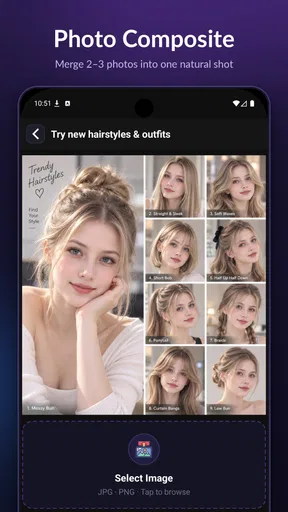
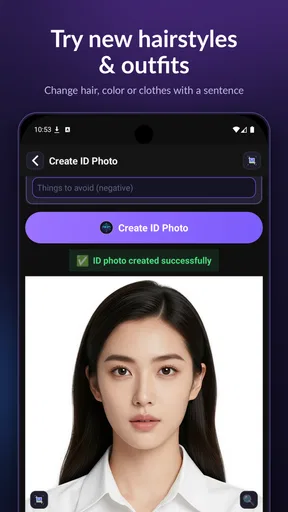
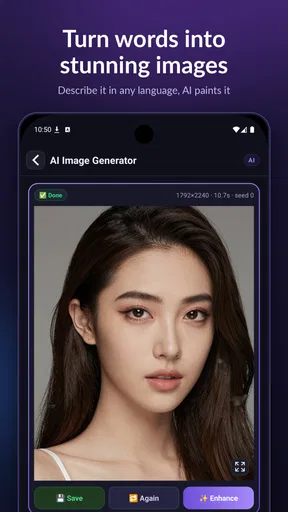
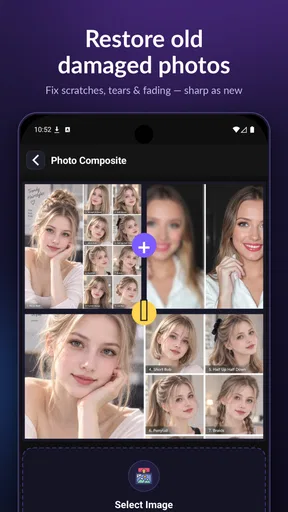
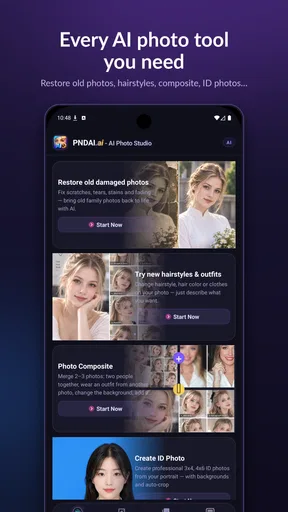
 Analysis by AppCompare
I usually judge a photo editor by what it can rescue in a few minutes, not by how many buttons it can put on a screen. PND AI Photo Enhancer HD is aimed at quick fixes: improving a soft-looking image, giving an older picture a cleaner appearance, removing an unwanted object, or preparing a straightforward ID photo. That range makes it more practical than an editor built only for filters, although the results still depend on the picture you start with.
What the current version is trying to do
PND AI Photo is a free beauty app from PND AI 360, currently at version 2.0.40. It is rated for Everyone, and the Android listing calls for version 7.0 or later. Its average score is 4.8 from around 2.8 thousand ratings, with over 100 thousand installs. Those figures suggest that people are finding it worth trying, but they do not tell me whether every tool will suit every photo. In-app purchases range from $1.99 to $24.99 per item, so I would check the price of anything I intend to use regularly rather than assume every option is included at no cost.
The useful way to think about this app is as a small set of AI-assisted repair and preparation tools, rather than as a full studio for detailed retouching. That distinction matters. If a treasured picture is hazy or an object distracts from the subject, a focused automatic edit can be a good first attempt. If I need precise masking, layered adjustments, or a consistent look across a professional photo set, I would reach for a more dedicated editor instead.
Where it fits in a real photo routine
Imagine finding an old family portrait while sorting through a phone gallery. The faces are still recognizable, but the image looks soft on a modern screen. I would try an enhancement on a copy, then compare it with the original at the same size. If the result brings out useful detail without changing the person’s features, it may be good enough to share with relatives. If it invents texture or makes skin look unnaturally smooth, I would keep the original and stop there. AI restoration is best treated as an interpretation of damaged or unclear pixels, not proof of what the camera captured.
For a current photo, object removal has a different sweet spot. It can be useful when a small distraction sits against a fairly plain background, such as a stray item on a table or a passerby against an open wall. Busy patterns, fine edges, and objects crossing hair or clothing are harder cases for any automatic remover: the app has to guess what belongs behind the object. I would zoom in before saving and check the repaired area, especially if the image will be printed or used as a profile picture.
A sensible workflow makes the difference
One practical tip is to edit the least-compressed version of a photo you have. A copy downloaded from a social feed may already have lost detail, leaving an enhancer less useful information to work with. I also prefer to crop only after trying restoration or object removal, because a tight crop can make it harder to judge whether the repair looks convincing in context. Keeping the original untouched gives me a simple fallback if the AI treatment goes too far.
For an ID-style image, I would begin with a clear, evenly lit portrait and check the finished file against the requirements of the organization that will receive it. A tool that helps prepare a portrait is not a guarantee that the picture meets official rules for background, framing, or other specifications. That is a useful distinction for anyone dealing with an application form: use the app for convenient editing, but let the receiving authority’s instructions decide whether the image is acceptable.
Worth Reading Before You Choose

Flipboard Shows What News Apps Must Do Beyond the Feed

Switching to Android Auto Means Rethinking Your Driving Routine

Google Calendar Makes a Crowded Week Easier to Manage

Ludo King Makes the Most of the Minutes Between Plans

Baby Panda World Brings Quick Play to Modern Phones, but Its Game Library Feels Busy

ESPN’s Live Game View Makes Following Close Games Easier
How it compares with familiar alternatives
Compared with a basic phone gallery editor, this app’s appeal is the combination of AI-focused repair tasks and ordinary image adjustments. A gallery tool is often faster for a tiny brightness correction or a quick crop, and it avoids moving between apps. PND AI Photo makes more sense when the problem is not simply exposure—for example, when an old image needs help or an unwanted detail needs attention.
Compared with a professional editing app, the trade-off runs the other way. A specialist editor usually gives more control over selections, layers, and repeatable adjustments, which is important when accuracy matters. An AI-led tool can be friendlier when I want to test a quick correction without learning a complicated workflow. I would not choose this app as my only tool for commercial retouching or careful archival restoration, but it may be a convenient first stop for personal pictures.
What to check before relying on a result
Before using any automatic edit on an important image, I would ask three simple questions: does the face still look like the person, do repaired edges blend into the background, and does the final image remain clear at the size I actually need? Looking at a thumbnail alone can hide smudges or strange details. If the app offers a before-and-after comparison during editing, use it; if not, save a separate copy and compare the two files in the gallery.
It is also worth deciding what “better” means before pressing an enhancement button. For a dim snapshot, brighter may be helpful; for a deliberately moody portrait, the same change could flatten the atmosphere. An automatic result is a starting point, not an instruction. I would apply it, inspect the image, and make only the small manual adjustments that support the original purpose of the picture.
Who is likely to get the most from it
I would recommend trying it if you mostly edit personal photos, want a low-effort way to test AI repair, or occasionally need to prepare a simple portrait. It is particularly appealing if you do not want to learn a complex editor just to improve a few images. Someone who edits often should first see whether the free version covers their routine and whether any paid item is worth its cost; occasional users may be better served by using the tools only when a specific photo needs them.
I would skip it as a primary choice if exact retouching, predictable color matching, or a documented restoration process is central to your work. I would also avoid relying on generated repairs where factual accuracy matters, such as evidence or a record that must preserve the scene as captured. For those jobs, keeping the unedited file and using a more controllable workflow is the safer choice.
First Impressions
As soon as I opened the PND AI Photo Enhancer HD, I was greeted with a sleek and modern interface. It's intuitive, which is a huge win for someone like me who doesn’t want to spend ages figuring out where everything is. The main screen puts all the essential tools at your fingertips, so you can dive right into editing without a hitch.
Features That Stand Out
Now, let's talk features. This app is packed with options to enhance your photos. One of the things I love is the AI-based enhancement. You simply upload your photo, hit a button, and voilà! The app works its magic, automatically adjusting the colors, sharpness, and contrast. It's like having a professional editor in your pocket.
Apart from the AI magic, you also have manual controls for those who like to tweak their photos to perfection. You can adjust brightness, saturation, and even apply filters. The variety of filters is impressive, each adding a unique flair to your pictures.
Simplicity Meets Functionality
What really sets this app apart is its balance between simplicity and functionality. You don't have to be a tech wizard to use it. The developers have hit the sweet spot where anyone can pick it up and start editing like a pro. And let's be honest, who doesn't love an app that makes you look like you know what you're doing?
Another cool feature is the batch processing. If you've got a ton of photos that need a little TLC, you can edit them all in one go. This is a game-changer for those of us who have hundreds of vacation photos to get through. Time-saving and efficient, just the way I like it.
Performance and Speed
When it comes to performance, the app runs smoothly without any annoying lags. It's quick to upload and process images, which is perfect for those days when you're in a hurry. I tested it out on both my Android and iOS devices, and it performed consistently well on both platforms.
Sharing Made Easy
Once you're done editing your masterpiece, sharing it is a breeze. The app allows you to share directly to your favorite social media platforms or save it in high resolution to your device. The quality of the enhanced photos is top-notch, ensuring your pictures look stunning wherever you post them.
Final Thoughts
In conclusion, PND AI Photo Enhancer HD is a must-have app for anyone who loves photography. It's user-friendly, packed with powerful features, and delivers professional-quality results. Whether you're a casual photographer or a social media influencer, this app has something to offer. So, go ahead and give it a try—I promise you won't be disappointed!
Pros
- Enhances photo detail impressively.
- User-friendly interface for easy editing.
- Supports high-resolution images.
- Quick processing with minimal lag.
- Includes a variety of filters.
Cons
- Occasional over-sharpening issues.
- Limited free features available.
- Requires internet for full functionality.
- Subscription can be pricey.
- Somewhat large app size.
FAQs for PND AI Photo Enhancer HD
What features does PND AI Photo Enhancer HD offer?
PND AI Photo Enhancer HD offers a variety of features designed to improve your photos effortlessly. It includes automatic enhancements, noise reduction, color correction, and sharpening tools. The app also provides options for restoring old photos and optimizing images for high definition. Its intuitive interface ensures ease of use for both beginners and advanced users.
Is PND AI Photo Enhancer HD user-friendly for beginners?
Yes, PND AI Photo Enhancer HD is designed with user-friendliness in mind. The app features a simple, intuitive interface that allows users to enhance photos with just a few taps. Built-in tutorials and guides help beginners understand the tools and features, making it accessible for users of all skill levels.
Does PND AI Photo Enhancer HD support batch processing?
Yes, PND AI Photo Enhancer HD supports batch processing, allowing users to enhance multiple photos simultaneously. This feature is particularly useful for users who need to edit large volumes of images quickly. By streamlining the editing process, it saves time and ensures consistency across your photo collection.
Are there any limitations in the free version of PND AI Photo Enhancer HD?
The free version of PND AI Photo Enhancer HD offers basic features suitable for casual users, but it may have limitations such as watermarks on edited photos and restricted access to premium tools. To unlock the app's full potential, users can opt for the premium version, which provides a comprehensive suite of advanced features.
How does PND AI Photo Enhancer HD ensure privacy and data security?
PND AI Photo Enhancer HD prioritizes user privacy and data security by adhering to strict policies. The app does not store or share personal photos without user consent. All image processing is done locally on the device, ensuring that your photos remain private and secure. Regular updates also enhance security measures.


